
There are times we just need a quick peek about how things are going. Hence using sql windows function with frame will be a great way for analysts to obtain the report. It’s a very handy function.
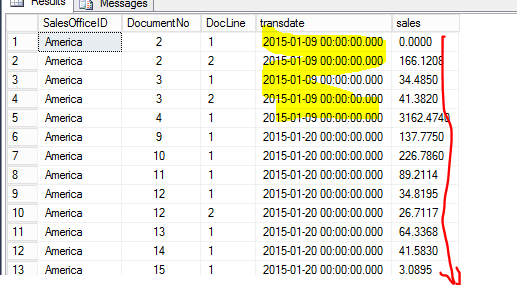
Below is the sample table I’m going to use, the idea today is to add sales day by day , generate a new column called accumulated value.
All we need just summary the sales by office ID, date using over clause, and since we want to accumulate the sales value, the sales value of current row, need to be added into all prior rows of this partition, unbounded proceeding means the beginning of each partition,between unbounded preceding and current row is adding values row by row. below is the demo query, and result table is under the query
select
SalesOfficeID
, DocumentNo
,DocLine
, transdate
, sales
,sum(sales)over(partition by SalesOfficeID, transdate order by documentNo,
docline rows between unbounded preceding and current row) as cumulativeSale

 from ##acc_sales
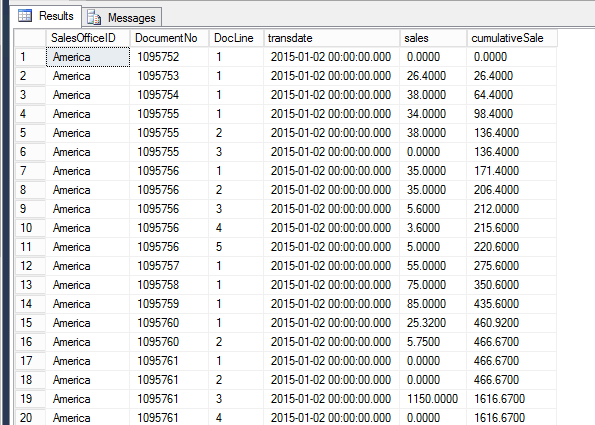
It easily can tell the sales is added up one by one, just need to copy and paste in excel, save your time to create formula, you can draw a graph within seconds.


 Vision Binary
Leave a reply to ophchiklitheri Cancel reply