
There is another way of adding map data by downloading the plugins, i had no luck with it, and this is a manual way to add the new data source to a project. I would like to add the data from OpenStreetMap, so here let’s get started.
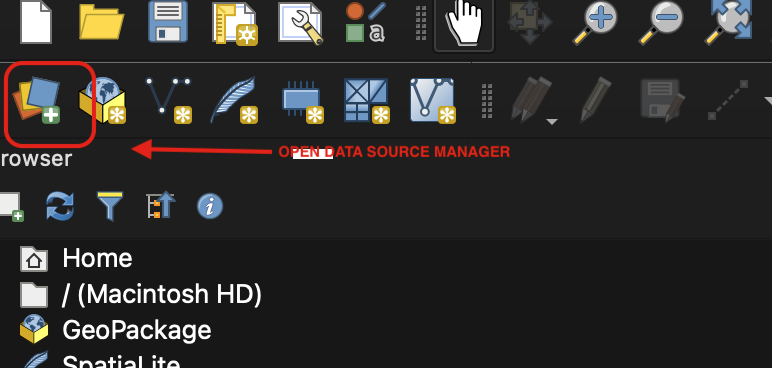
choose “Open Data Source Manager”
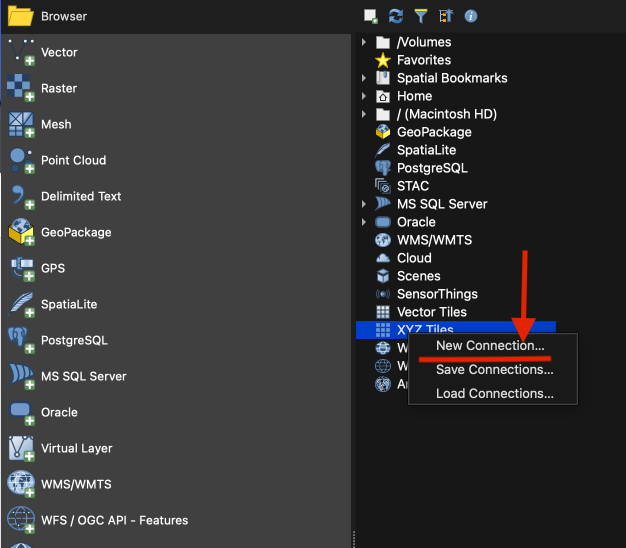
right click “XYZ Tiles”,
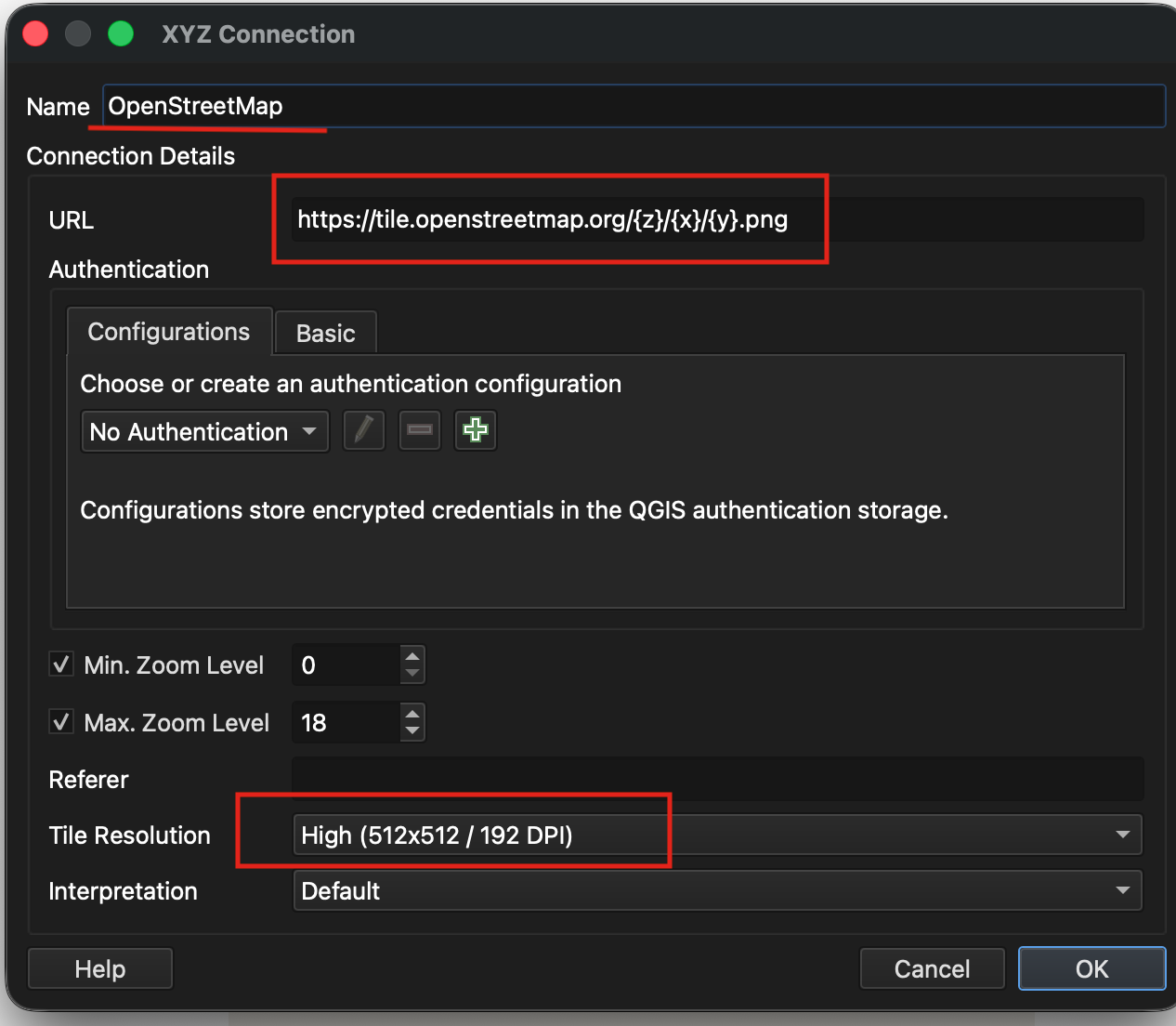
Now give it a name, I used OpenStreetMap, so I will name it “OpenStreetMap”, and add URL https://tile.openstreetmap.org/{z}/{x}/{y}.png. Choose the Resolution either “Standard” or “High”
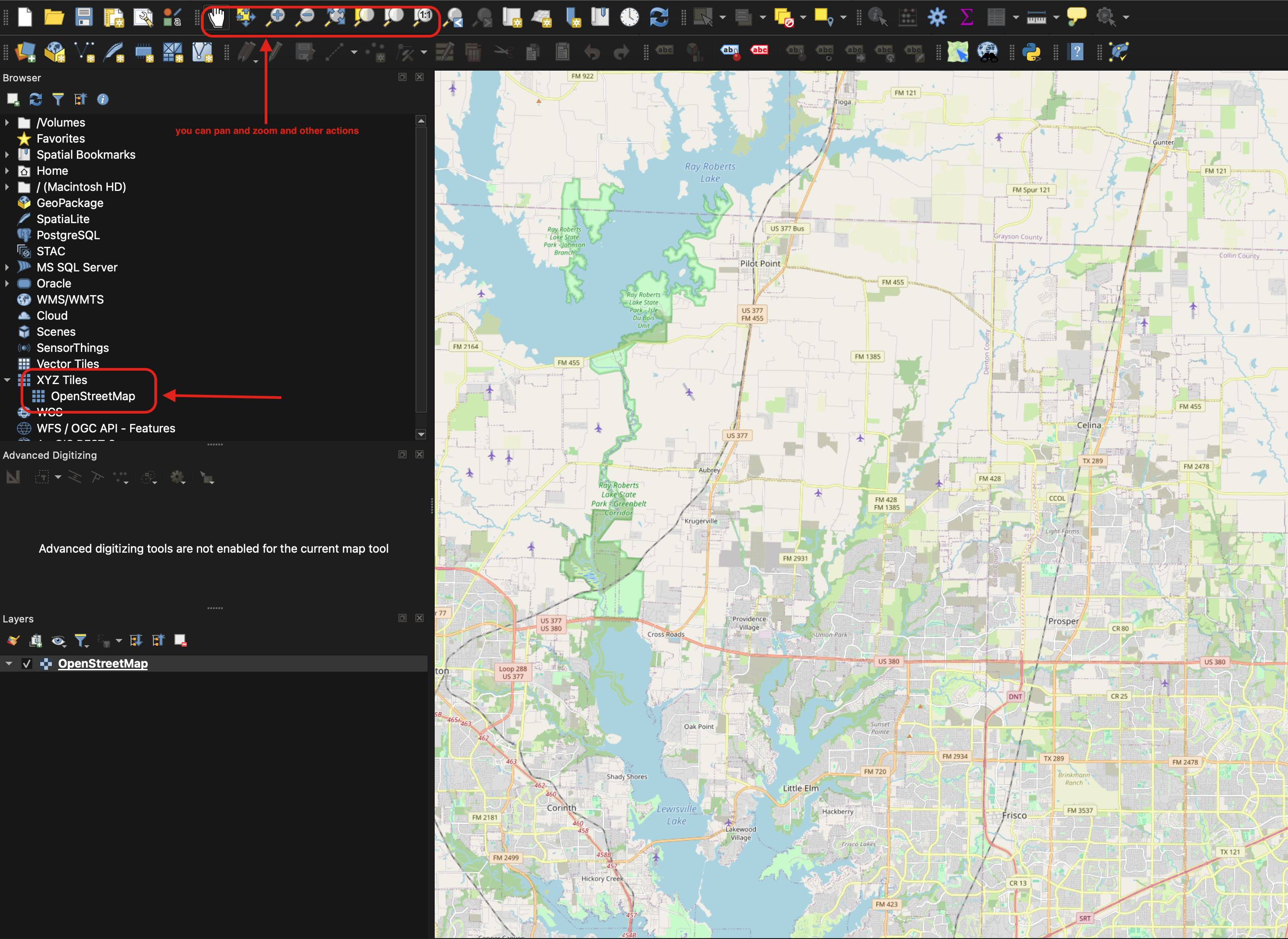
Now in the browser panel, under the XYZ tiles, you can see the connection. You should also see the map layer.

 Vision Binary

Leave a comment