
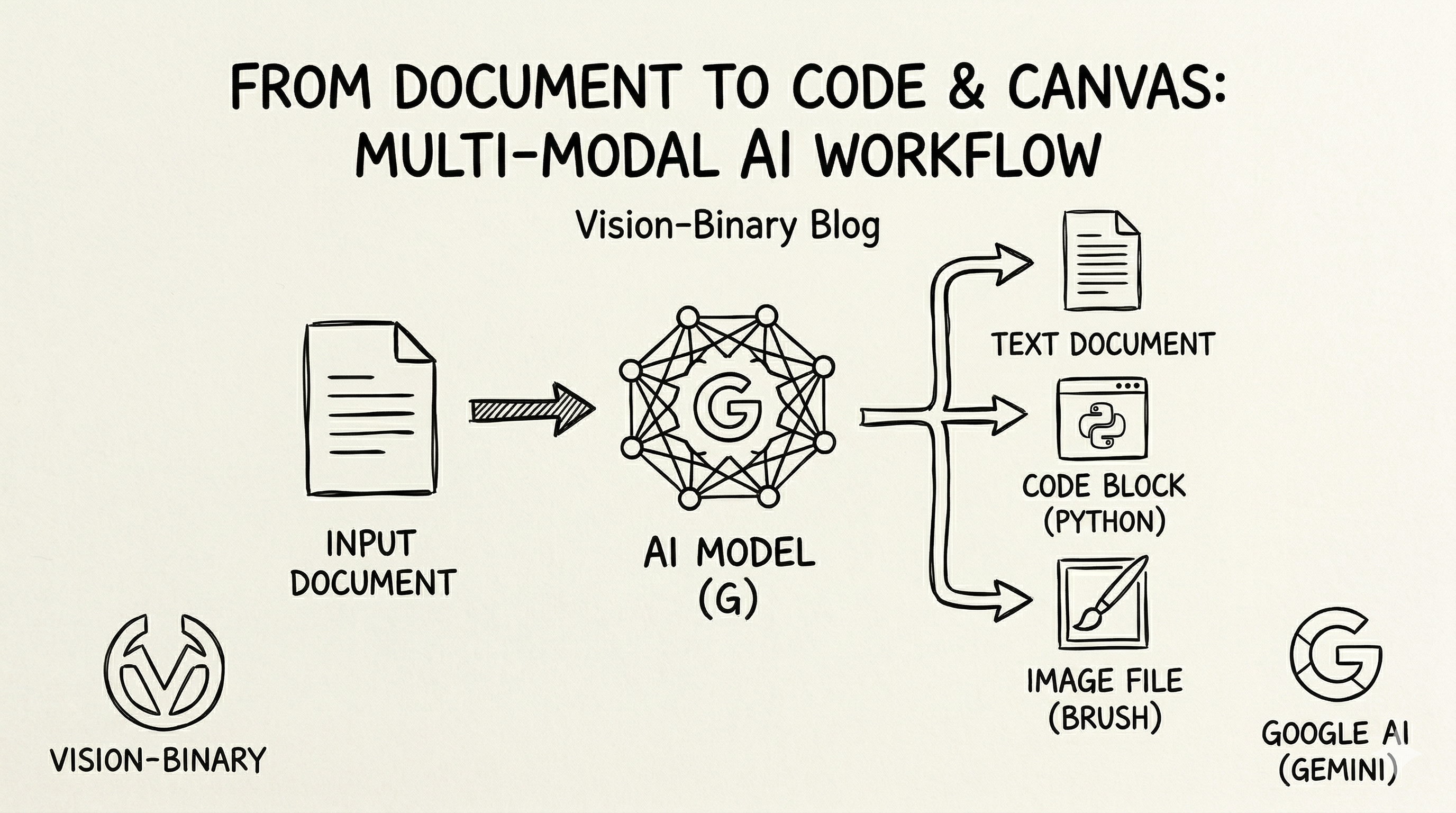
We are going to use Google AI Studio to rapidly prototype a data quality check application that business users can interact with. The application takes natural-language prompts from the user to identify incomplete records in provided data, then outputs the results to a predefined structure/format. and provide dq fail count and percentage.
The purpose of creating such applications are – make data quality checks scalable, easy to use and quick to implement, and can be integrated with other tools and services.
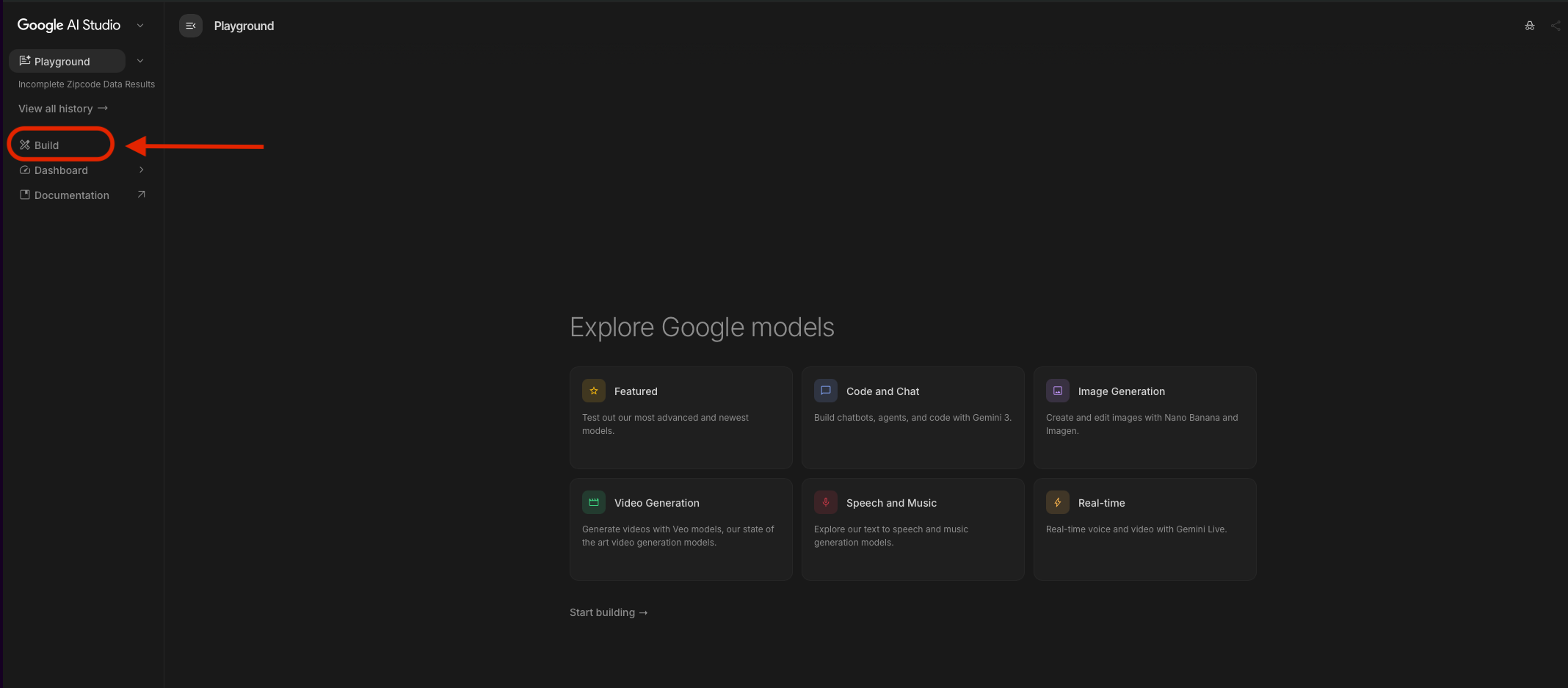
Log in to Google AI Studio using your Google account. go to build.
Then type the instructions in the chat box. Below are my prompts to create the app. I used few-shot techniques to give 2 examples of user questions and the corresponding results I’m looking for. After reviewing your prompt, click the “Build” button in the chat box.
The application takes natural-language prompts from the user to identify incomplete records in the provided data. The data element that needs to be validated will be specified in the user prompt. The user can specify one or more data elements to validate, and the data elements’ names will be consistent with the field name. For example, if the user wants to find records missing address_1, city or zipcode, they can specify these data elements in the prompt. The application will then analyze the records and identify those that are missing the specified data elements. Then it outputs the results to a structured format.
The application should be able to handle various formats of incomplete data, such as empty strings, null values, or specific placeholders like “N/A” or “NULL”.
Sample data provided :
[{
“id”: 1,
“name”: “Emily White”,
“address”: {
“address_1”: “7349 Thomas St”,
“city”: “Phoenix”,
“zipcode”: “97005”
}
},
{
“id”: 2,
“name”: “Chris Smith”,
“address”: {
“address_1″: ” “,
“city”: “Boston”,
“zipcode”: “41963”
}
},
{
“id”: 3,
“name”: “Laura Anderson”,
“address”: {
“address_1”: “9026 Harris St”,
“city”: “Los Angeles”,
“zipcode”: “N/A”
}
},
{
“id”: 4,
“name”: “Jane Taylor”,
“address”: {
“address_1”: “8775 Jackson St”,
“city”: “Austin”,
“zipcode”: “NULL”
}
},
{
“id”: 5,
“name”: “John Taylor”,
“address”: {
“address_1”: “5232 Taylor St”,
“city”: null,
“zipcode”: NULL
}
}]
Eample 1 User prompt: Find records missing address_1, city or zipcode.
results: [
{
“id”: 2,
“name”: “CHRIS SMITH”,
“incomplete_attributes”:{
“address_1″: ” “
}
},
{
“id”: 3,
“name”: “LAURA ANDERSON”,
“incomplete_attributes”:{
“zipcode”: “N/A”
}
},
{
“id”: 4,
“name”: “JANE TAYLOR”,
“incomplete_attributes”:{
“zipcode”: “NULL”
}
},
{
“id”: 5,
“name”: “JOHN TAYLOR”,
“incomplete_attributes”:{
“city”: null,
“zipcode”: NULL
}
}
]
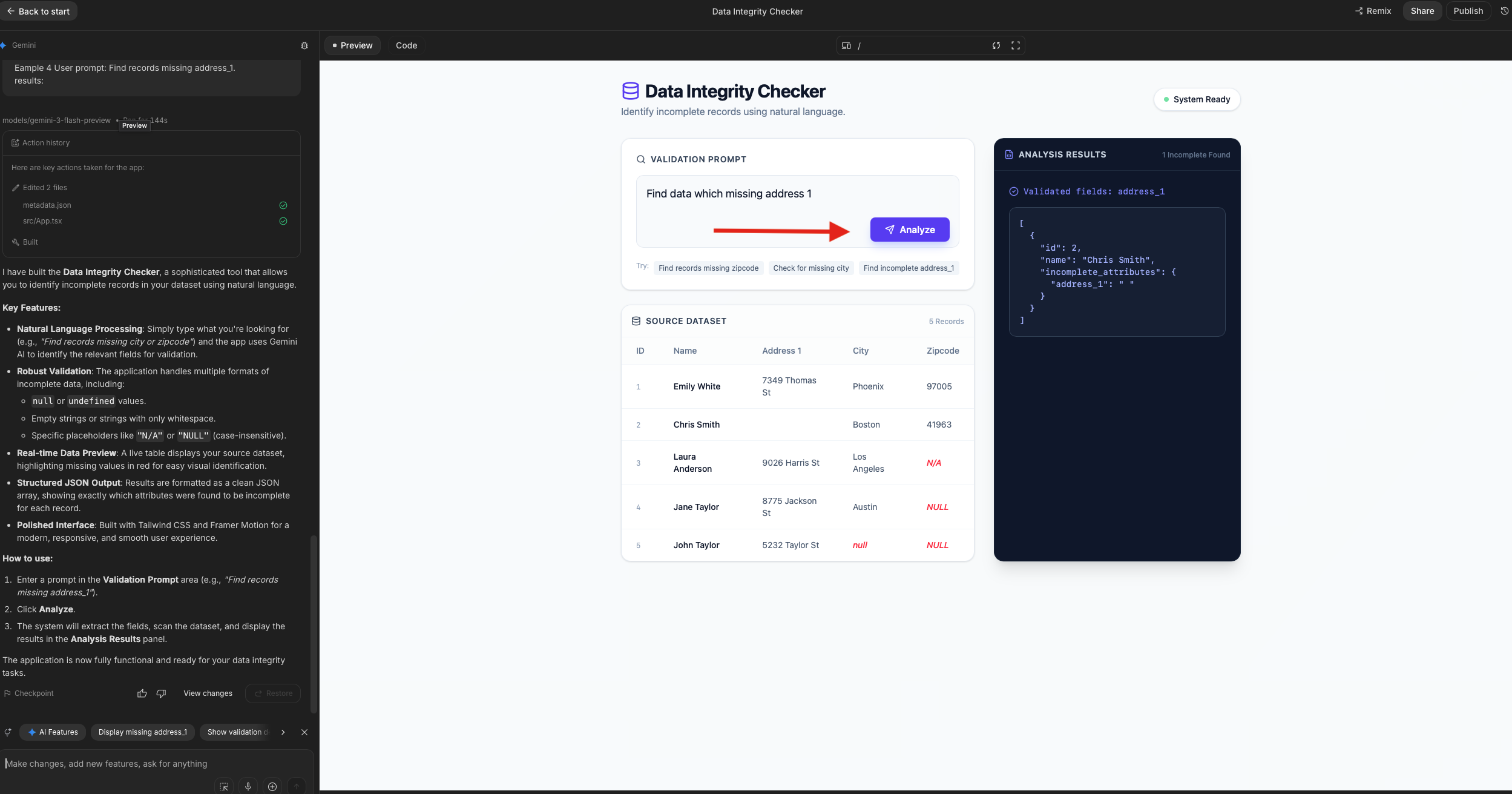
App building starts running, the panel on the left shows your prompt, the app building steps, and progress, and a summary.
now you can try different user prompt without using query:
“Find data which missing address 1. “, “Find records missing zipcode”.
You can see analysis results in the result box, displaying JSON format data as required when building the App.
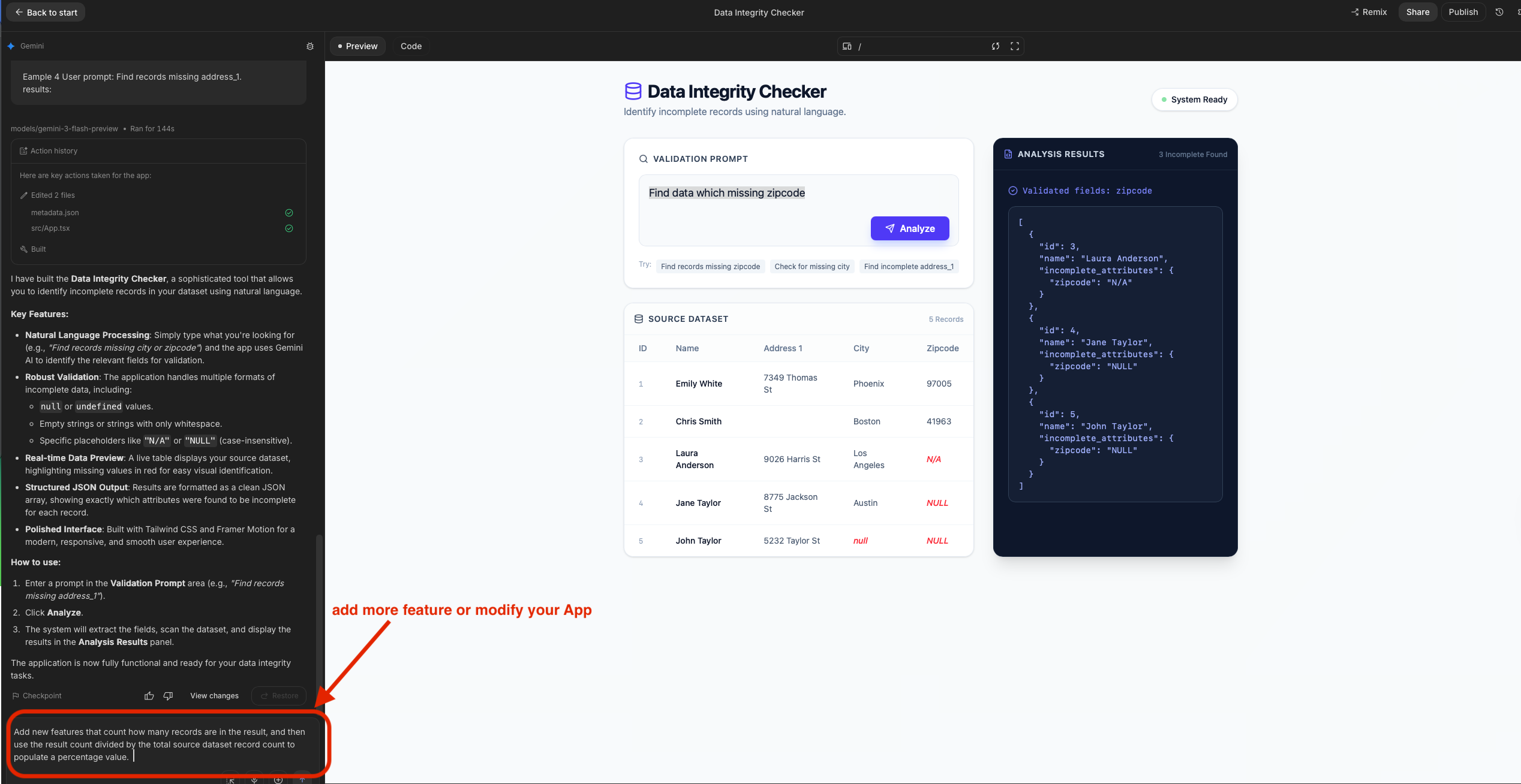
Now lets add a feature to calculate dq breach percentage.
Here lets say we define: Dq fail percentage = failed records count / total records count.
Type the requirement in the chatbox, my requirement statement pasted here: “Add new features that count how many records are in the result, and then use the result count divided by the total source dataset record count to populate a percentage value.”
Submit the new feature request the app will reload with the added feature. On the top right corner, dq fail count and fail percentage are populated.
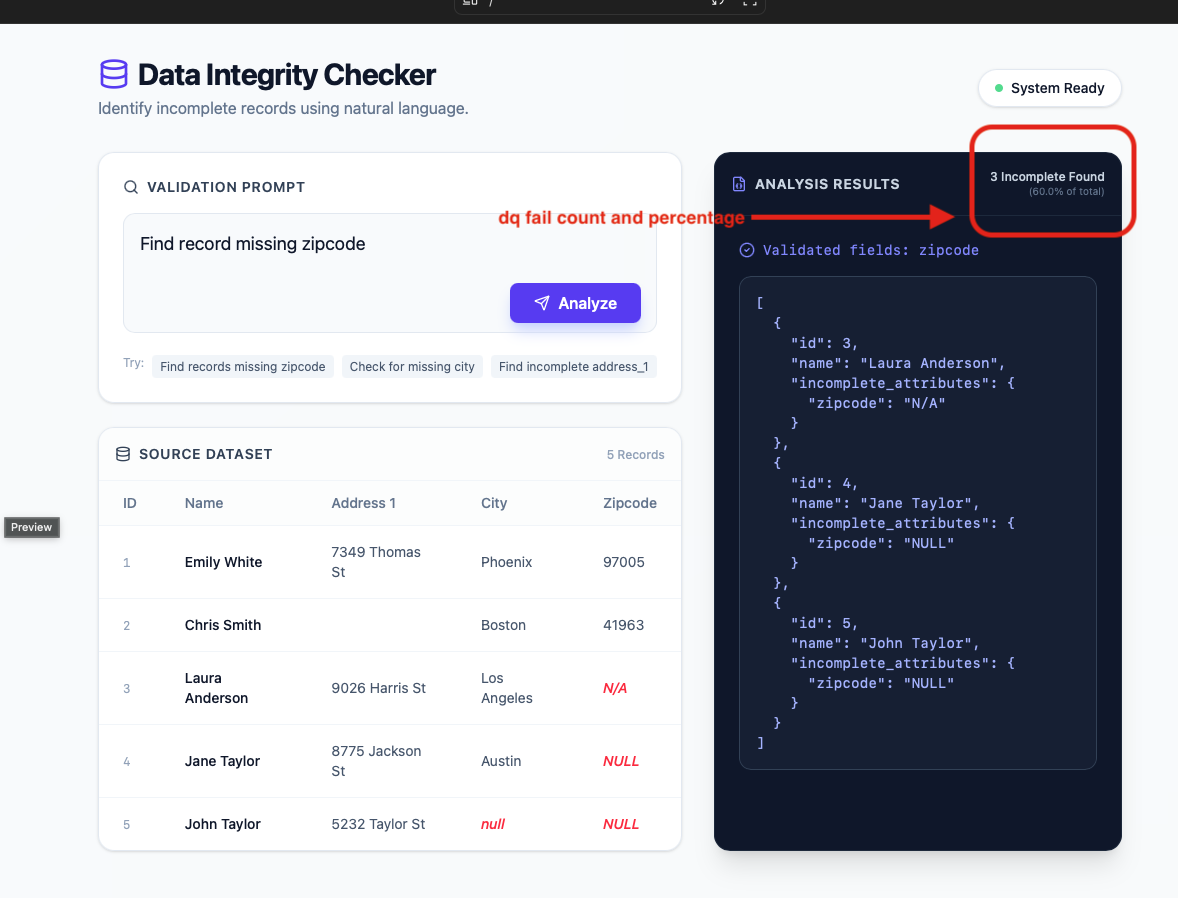
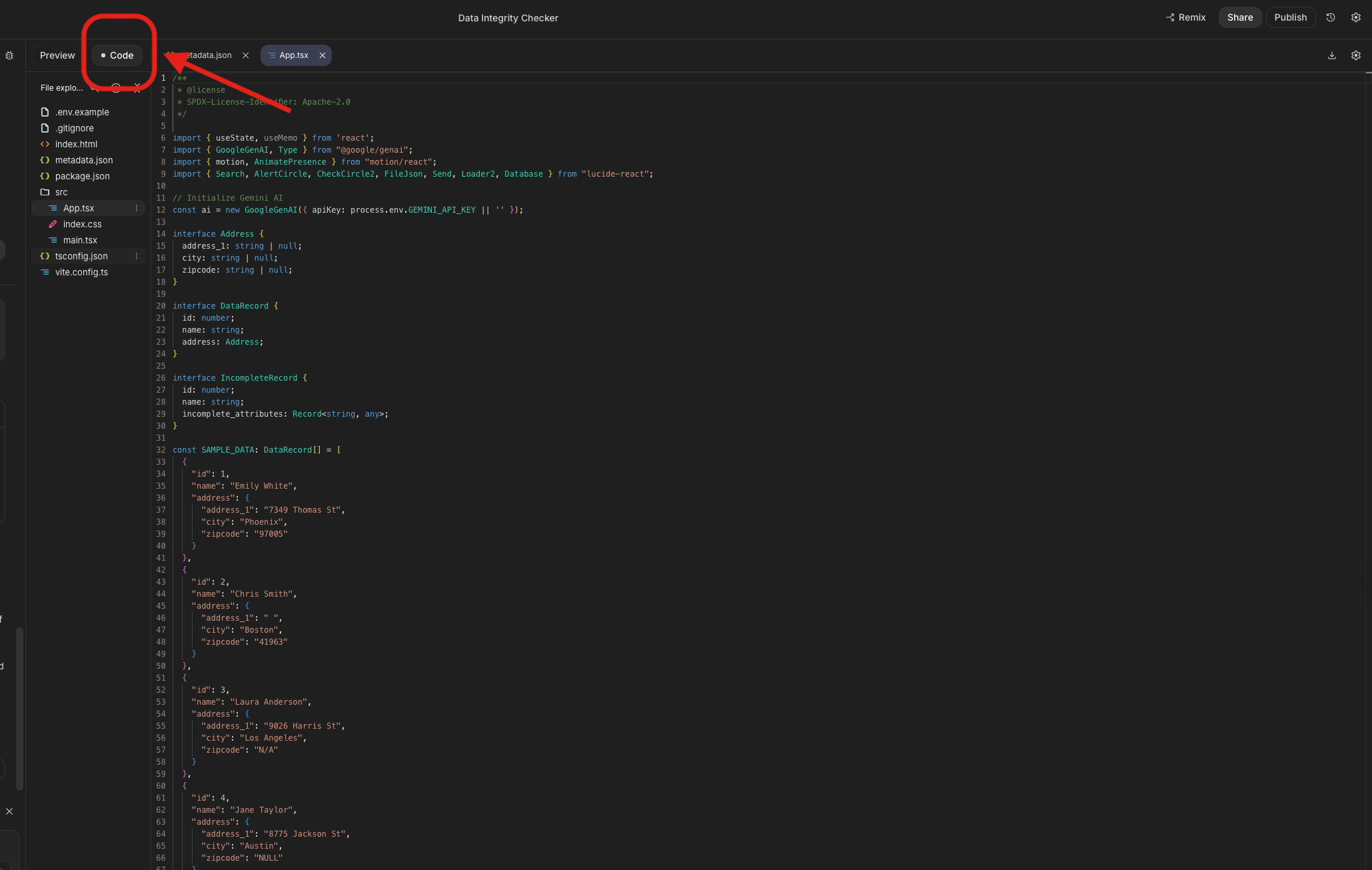
The App is system-ready; you can publish it. Click the “Code”, your package is ready to extract, can be modified, and integrated with other applications which built in-house.
Let’s recap and extend the prototype a bit more about how this tool can benefit and be utilized in business.
Data quality checks are scalable – traditional data quality checks code each rule and implement it individually. The application we created is smart enough to implement the rule (not blank not null or no N/A ) dynamically on any data elements specified by the business,
Easy to use, efficient, and quick implementation cycle – with no coding, only natural language to ask a question – App is easy to use and intuitive. Businesses no longer need the dev team to run code to checks, and are able to see dq issue records and verify the accuracy of the results directly. This short feedback loop shortens the review approval process. Also, if it’s exactly the same business rule, there is no need to code change for each new requirement; instead, each new requirement is implemented as a configuration update rather than a code change.
Can be integrated with other tools and services. – We can change the source data to use a variety of sources such as file system, data streams, documents, database, etc., and change the result to another format then load it to a variety of data storage for downstream process/applications to utilize the result data. such as feed to dashboard, metrics, trigger other functions such as notify/create incident when the dq percentage is over the defined threshold.

 Vision Binary
Leave a comment