
Today my report business owner shot me an email said she can’t see my report. it displaying “Loading” for 20 minutes. I did a quick check at my side, everything looks fine for me. So I let my other coworkers access the report URL, try to see if they can see the report at their sides. Unfortunately, they couldn’t neither.
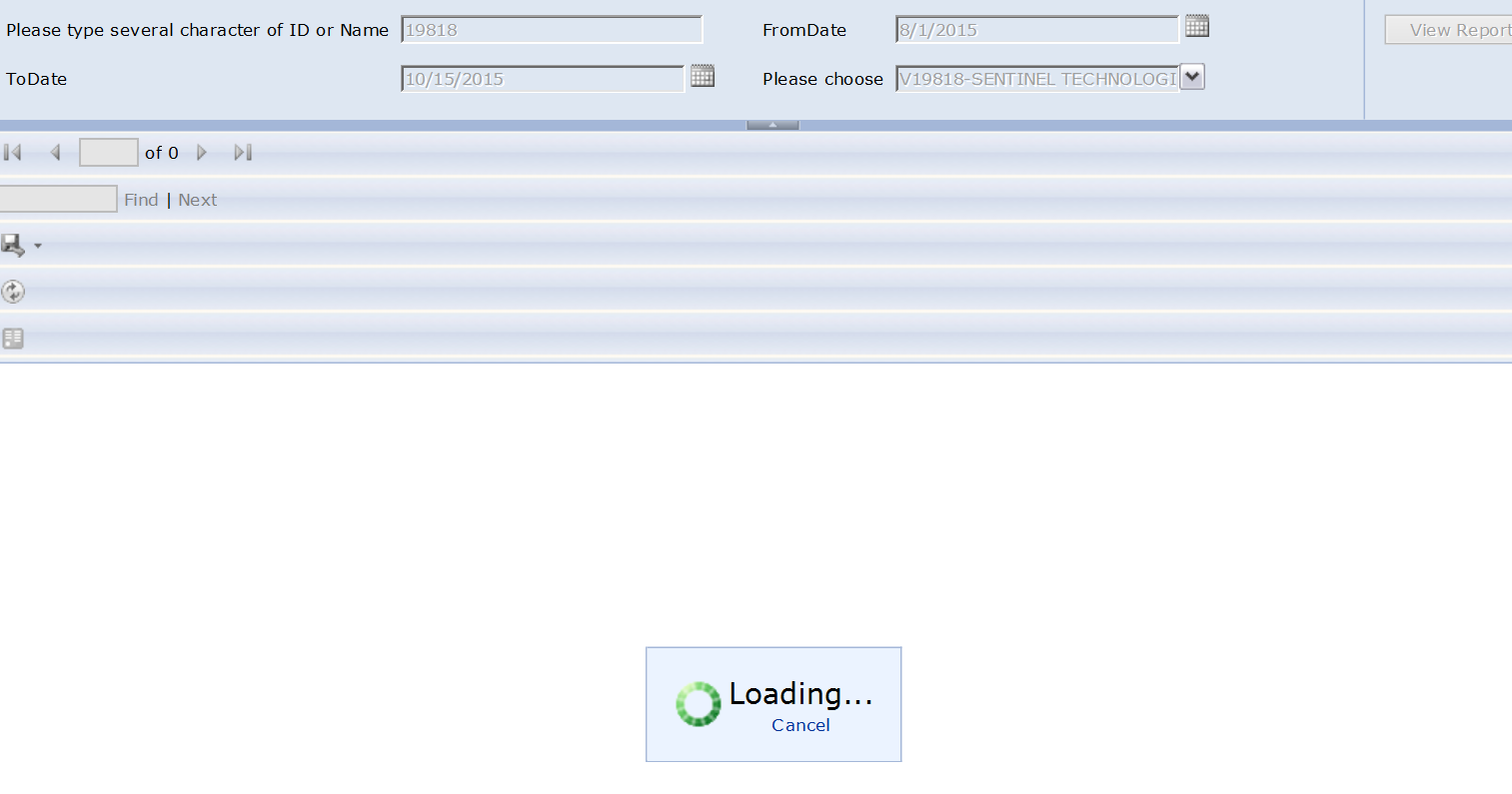
I asked help desk what they did recently, I was told they upgrade the browser. then I noticed it probably is a compatibility issue. and this problem only affect the reports which has several parameters in them.
What need to be done to fix this is quite simple.
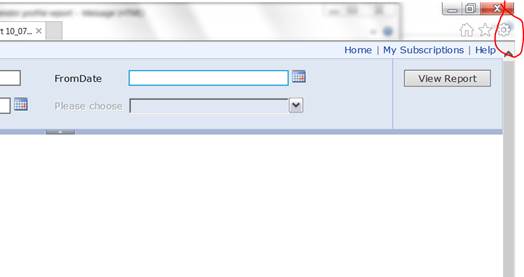
Step 1: click tools(red circled one)
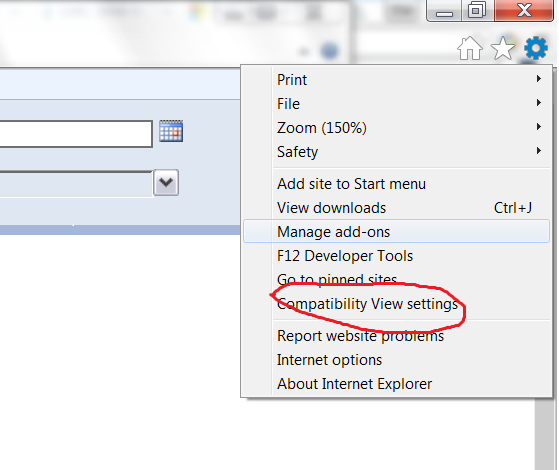
Step 2:
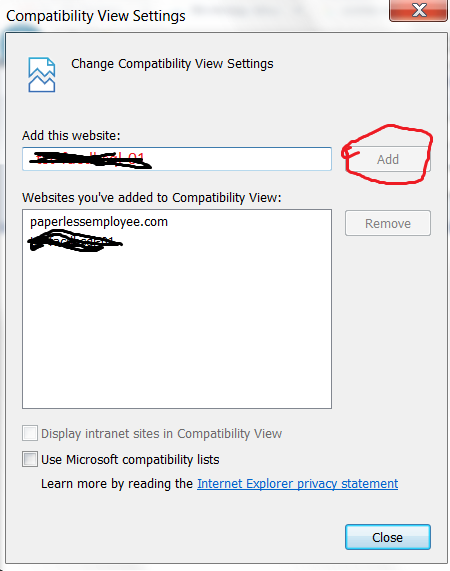
Step 3: it will display the report service website and you just click add then close it.
Close your browser and reopen it, go to the report url, it should work


 Vision Binary
Leave a reply to Sangita Cancel reply