
Tibco spotfire is a great analytic tool, comparing it with Tableau, how tibco blends data source together is extraordinary, it comes with variety of templets, very convenient to create dashboards and display them in the best visualization, along with automatic create filters from all table entities. I will write another article to comparing this two products later. Today let’s review some very basic functions– cumulative function and max function, you will find it’s so useful, can apply to many kind of reports such as Sales, opportunities, production etc.
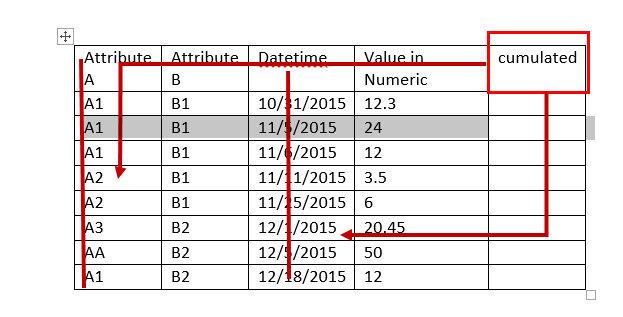
Here is a sample structure of the entities we are going to analyze, many data tables is constructed or can be constructed by joining related entities together.
| Attribute A | Attribute B | Datetime | Value in Numeric |
| A1 | B1 | 10/31/2015 | 12.3 |
| A1 | B1 | 11/5/2015 | 24 |
| A1 | B1 | 11/6/2015 | 12 |
| A2 | B1 | 11/11/2015 | 3.5 |
| A2 | B1 | 11/25/2015 | 6 |
| A3 | B2 | 12/1/2015 | 20.45 |
| AA | B2 | 12/5/2015 | 50 |
| A1 | B2 | 12/18/2015 | 12 |
To be more straightforward, here I put a sample table with data in it. Sales Office and customer Id are respectively attribute A and B, Order value and open value is the “value in numeric” column, order date is the datetime column.
| SalesOfficeID | CustID | Order_Value | Open_Value | Order_Date |
| CANADA | 1 | 5226.25 | 4625 | 1/3/2017 |
| CANADA | 1 | 5039.8 | 4460 | 1/3/2017 |
| CANADA | 1 | 5039.8 | 4460 | 1/6/2017 |
| CANADA | 1 | 5039.8 | 4460 | 1/9/2017 |
| CANADA | 1 | 5039.8 | 4460 | 1/9/2017 |
| CANADA | 5 | 114306.06 | 532.075 | 1/28/2016 |
| CANADA | 5 | 23588.01 | 23588.01 | 3/17/2016 |
| CANADA | 5 | 52626.16 | 52626.16 | 3/30/2016 |
| CANADA | 5 | 92409.13 | 17265.92 | 6/27/2016 |
I’m going to show you how to add another cumulated value column base on this structure.
The cumulated value is calculated against different sales Office ID, add up all order value along with the timeline (which is Order date in this case), based on the general structure I gave above, a cumulated value can be calculated against one attribute (an attribute is classification or categories value), along with the timeline.
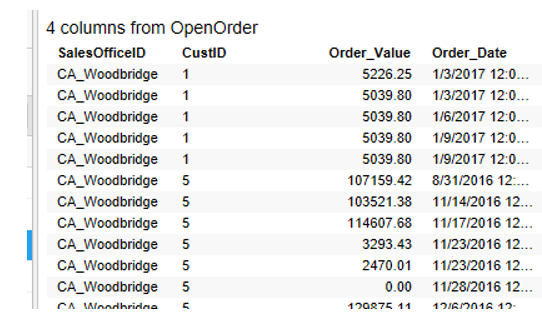
So I’m going create it and display step by step using the open order table.
Go to Insert in the Nav Bar, select Calculated Column…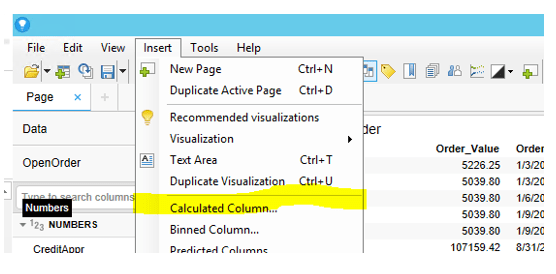
The insert calculated column window pop out. The function need to summarize the Order value for each office, day by day.
First we need to sum the order value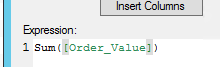
By date/time, here we need the ‘OVER’ function, over can be used to calculated value by different categories, time.
But we trying to cumulate the value with the previous day and carry the summary into next date, the need to use ‘AllPrevious’ function. ‘allprevious’ can add things up by series of value. Here is datetime.
it’s still not sufficient, since the accumulate is for different office. We want to sum things up in different categories. ‘Over’ function can have multiple attributes inside, now we want to sum by office, and previous time, so basically I’m looking for add up each office’s own order dates (since different office can have order on the same date), that’s an intersect of office and date value.
Now it’s a completed calculation, highlighted part is all the function we used.
Name it as “cumulate” and add it to the right, look into the number, it’s cumulated exactly the way we need.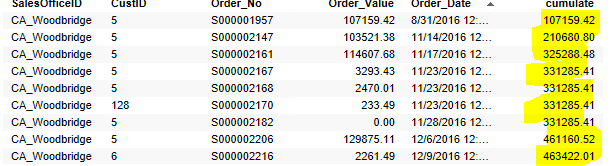
Create a detail view against this table, select the data will display all when no items are marked in the master view.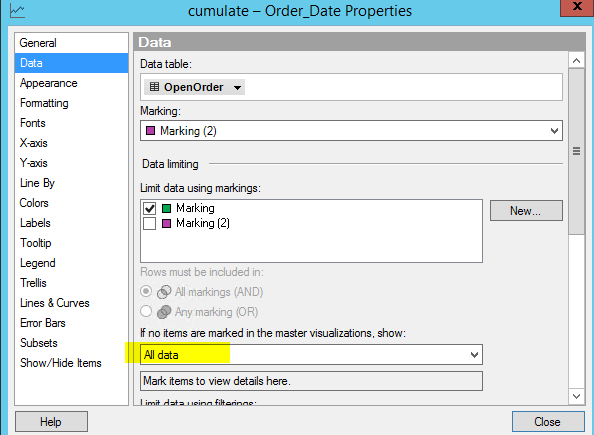
And now you can view the plot and see the in the end how much order totally has for all the time.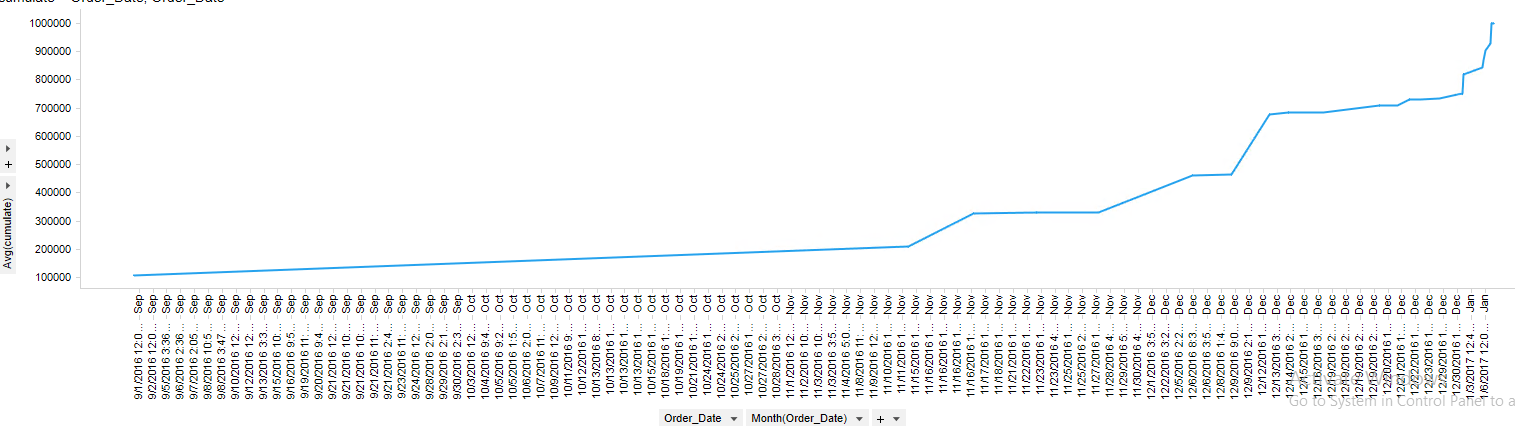

 Vision Binary
Leave a comment