
I have several reports which already deployed, and I want to execute the reports without subscribe the report in report manager. Here I used batch file to call an rss file to execute a report with parameter.
my report name is TEST PARAMETER , I have two parameters in this report, one is ACCNT_CODE is account number, the other PERIOD is filter for transaction month
below code save as rss:
Public Sub Main()
Dim format as string = “excel” ‘ save as excel, PDF,txt, ect.
Dim fileName as String = “C:\Users\WXUAN\Documents\Working Files\test.XLS” ‘directory of the output file, you can put in any folder
Dim reportPath as String = “/SunSystems/develop phase/TEST PARAMETER” ‘path of the deployed report you want to run
‘ Prepare Render arguments
Dim historyID as string = Nothing
Dim deviceInfo as string = Nothing
Dim extension as string = Nothing
Dim encoding as string
Dim mimeType as string
Dim warnings() AS Warning = Nothing
Dim streamIDs() as string = Nothing
Dim results() as Byte
rs.LoadReport(reportPath, historyID)
‘declare parameter, the if you have n parameters then dim parameter(n)
Dim parameters(2) As ParameterValue
parameters(0) = New ParameterValue()
‘ACCNT_CODE is the name of parameter in my report
parameters(0).Name = “ACCNT_CODE”
‘set a value for the parameter, here for example I want to see account 8802
parameters(0).Value = “8802”
parameters(1) = New ParameterValue()
parameters(1).Name = “PERIOD”
parameters(1).Value = PERIOD
rs.SetExecutionParameters(parameters, “en-us”)
results = rs.Render(format, deviceInfo, extension, mimeType, encoding, warnings, streamIDs)
‘ Open a file stream and write out the report
Dim stream As FileStream = File.OpenWrite(fileName)
stream.Write(results, 0, results.Length)
stream.Close()
End Sub
Then we create another file:
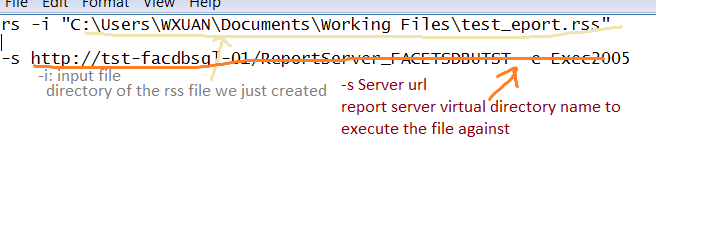
save below code as .bat
rs -i “C:\Users\WXUAN\Documents\Working Files\test_eport.rss” -s http://tst-facdbsql-01/ReportServer_FACETSDBUTST -e Exec2005
Now we have two files done, double click the batch file to execute report.
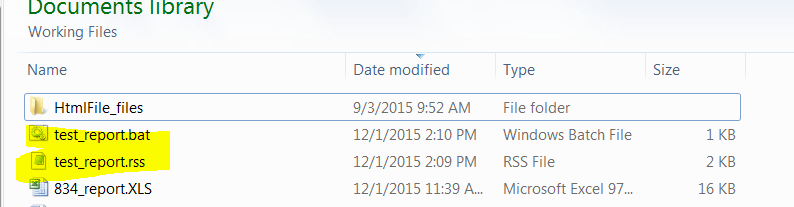
And you probably will have trouble to run the report.
it’s said the parameter is not defined in ssrs report and I did check it the report- we have parameter created, but the Report parameter can’t receive the variable in the files.
check the ssrs report to see if there is any report variable to receive the variables from rss file.
So go to the report properties-add report variables, the variable name should be the same as the parameter name in rss file, click okay.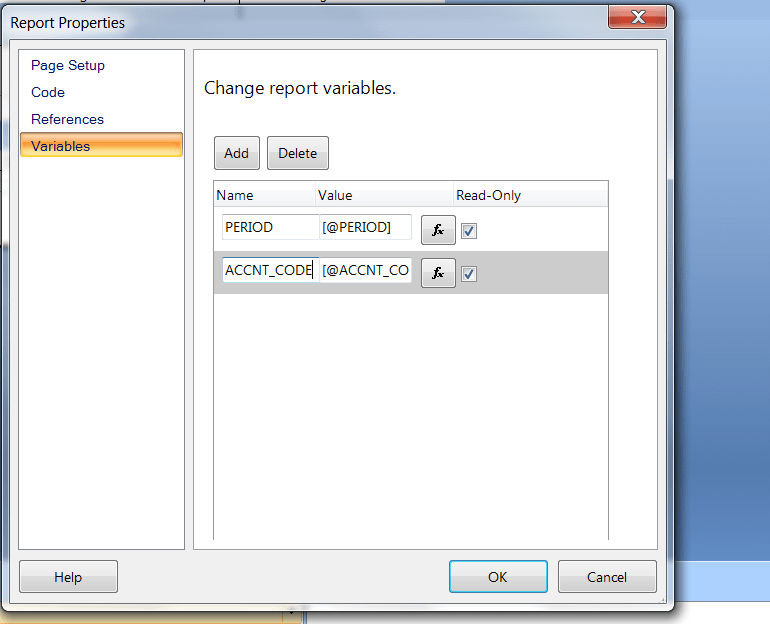
Now lets run the batch file again

and lets go to the directory we save the output file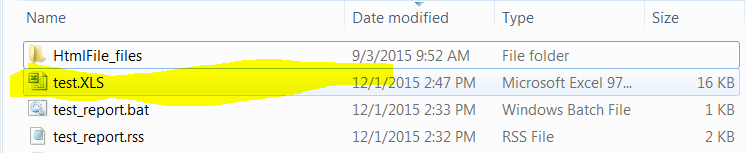
Looks it went well. Thanks for reading, leave comment below if you have any questions.

 Vision Binary
Leave a comment