
Step-by-step process:
-
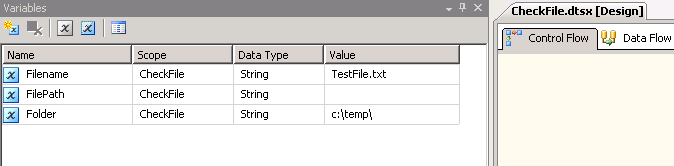
On the SSIS package, create 3 variables are shown in screenshot #1. Scope
CheckFilerepresents the package name. VariableFolderwill represent the folder that you would like to check for the file.Filenamerepresents the file name to check for. VariableFilePathwill be the global variable that you will need. It will be filled in with the file path value if the file exists, otherwise it will be empty. -
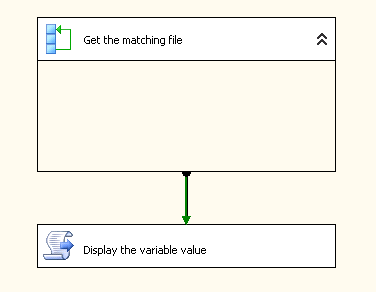
On the package’s Control Flow tab, place a
Foreach Loop containerand aScript Task. Script Task is to showcase that the variable retains the value after the Foreach Loop container execution is complete. Refer screenshot #2. -
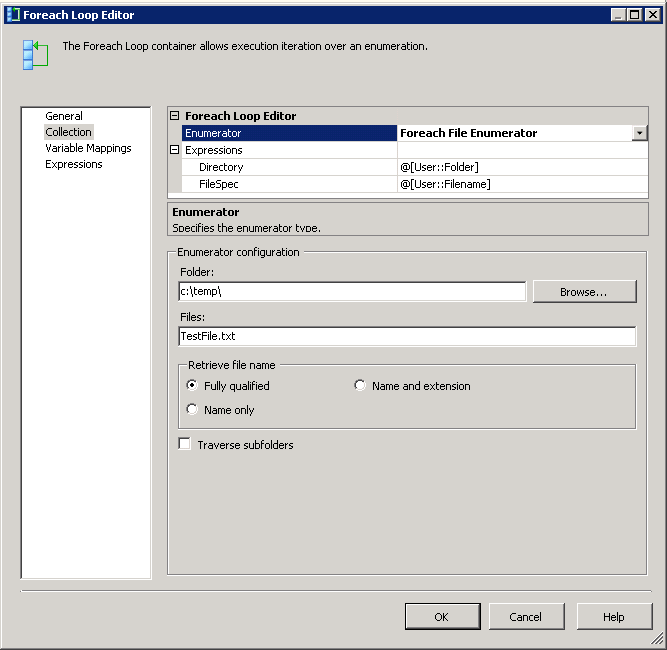
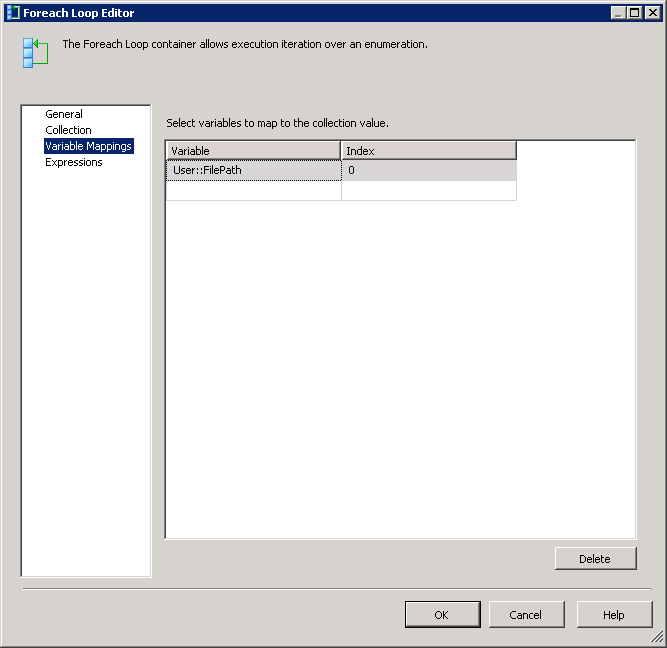
Configure ForEach Loop container as shown in screenshots #3 and #4.
-
Replace the Main() method within the S
cript Taskwith the code given under theScript task codesection. This is to demonstrate the value retained by the variableFilePath. -
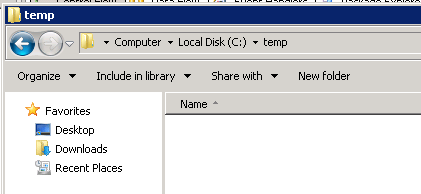
Screenshots #5 shows no files exist in the path
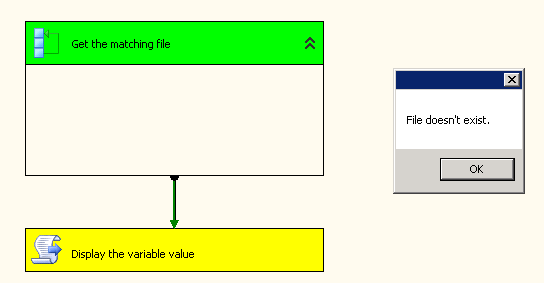
c:\temp\and screenshot #6 shows the corresponding package execution. -
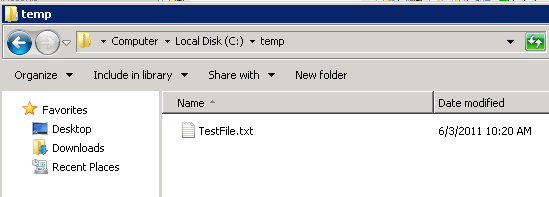
Screenshots #7 shows the file
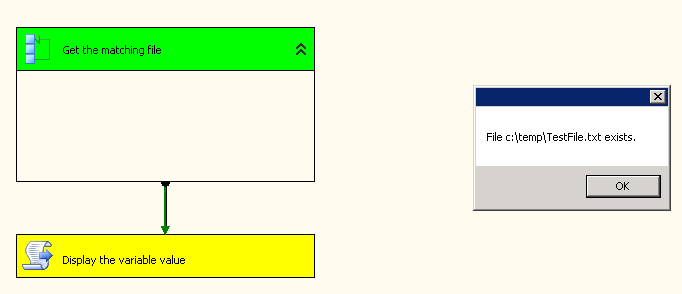
TestFile.txtexists in the pathc:\temp\and screenshot #8shows the corresponding package execution. -
If you would like to process the file when it exists, you can place a
Data Flow Taskwithin theForeach Loop containerto do that.
Hope that helps.
Script task code:
C# code that can be used only in SSIS 2008 and above..
public void Main()
        {
            Variables varCollection = null;

            Dts.VariableDispenser.LockForRead("User::FilePath");
            Dts.VariableDispenser.GetVariables(ref varCollection);

            if (String.IsNullOrEmpty(varCollection["User::FilePath"].Value.ToString()))
            {
                MessageBox.Show("File doesn't exist.");
            }
            else
            {
                MessageBox.Show("File " + varCollection["User::FilePath"].Value.ToString() + " exists.");
            }

            Dts.TaskResult = (int)ScriptResults.Success;
        }
Screenshot #1:
Screenshot #2:
Screenshot #3:
Screenshot #4:
Screenshot #5:
Screenshot #6:
Screenshot #7:
Screenshot #8:

 Vision Binary
Leave a comment